Online Rooms
Playing Cube Jump Online with Room Codes
Đọc bằng tiếng ViệtOnline Rooms let Cube Jump Online players share a run without turning the game into a complicated account system. A player creates a room, receives a short room code, and shares that code with friends. Other players enter the code from the online menu and join the same session. The room can then start when the group is ready.
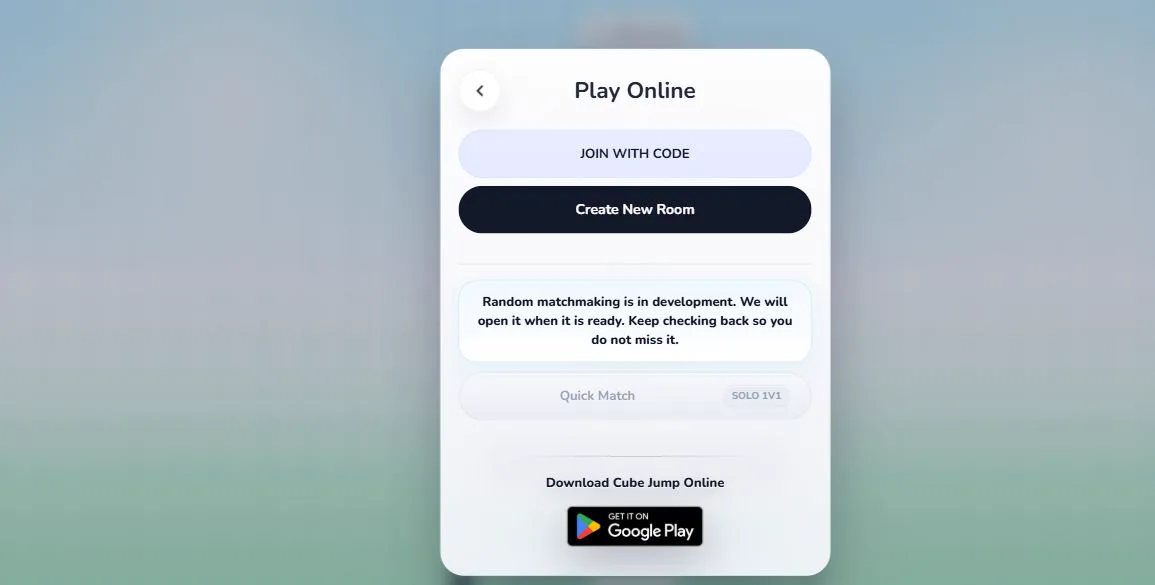
Creating a Room
The create-room flow is intentionally direct. The host opens the online menu, creates a room, and waits for friends to join. The room code is temporary and exists for the current session rather than as a permanent profile or public listing. This keeps the multiplayer experience casual and reduces the amount of personal information players need to provide.
A room host has the responsibility to start the match when the group is ready. The game is designed around short sessions, so a room can be used for a quick challenge, a practice race, or a friendly comparison of how far each player can go under pressure.
Joining a Room
Joining a room requires the room code from the host. Players can enter a display name if they want friends to recognize them in the room. The room service validates the request and connects the player to the active room state. If the room is full, already started in a way that no longer allows late join, or no longer exists, the game shows an appropriate error rather than sending the player into a broken session.
What Players See During a Room Run
Online rooms keep the focus on progress. Players can see room members and compare how the run is going. The game still feels like Cube Jump Online: jump left or right, stay on the route, and survive the increasing pace. Room play does not add a new control scheme or a separate competitive economy. It simply lets multiple people experience the challenge together.
Because online play depends on network quality, the room service uses realtime messages and state snapshots to keep the room understandable. A good connection should feel responsive, while a poor connection may show reconnect or room-state messages. The goal is to keep players informed instead of hiding connection issues.
Reconnects and Leaving
Browser tabs, mobile connections, and Wi-Fi networks can change unexpectedly. Cube Jump attempts to keep room state stable where possible, but players should still expect online rooms to work best on a steady connection. Leaving a room removes the player from that session. When the last player leaves, room cleanup can remove the temporary room state.
Respectful Room Play
Cube Jump rooms are meant for friendly play. If chat or player-provided text is available, players should keep it respectful, lawful, and relevant to the session. The service includes abuse controls such as rate limits and moderation checks to protect rooms from spam and disruptive behavior.
Online rooms are best when everyone understands the same simple goal: enjoy the run, compare progress, and restart without pressure when someone makes a mistake. The game is quick enough that a lost run does not need to become a big interruption.
Privacy and Temporary Sessions
Online rooms do not require a permanent public profile. The room service uses the information needed to operate a temporary session, such as the room code, player identity for that session, display name, and connection state. That information helps the game synchronize players, reconnect when possible, and clean up rooms after players leave.
Players should avoid putting private personal information into display names or chat messages. A room is meant to be a lightweight play space, not a place to share sensitive details. For more information about data handling, read the Privacy Policy linked from every public page.